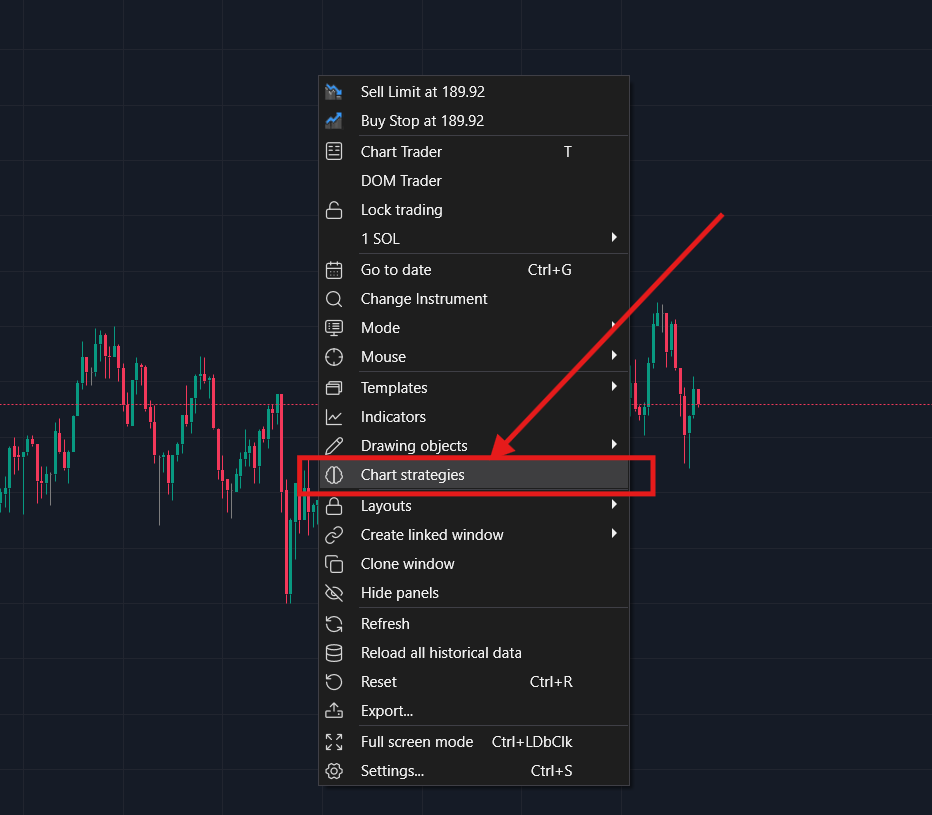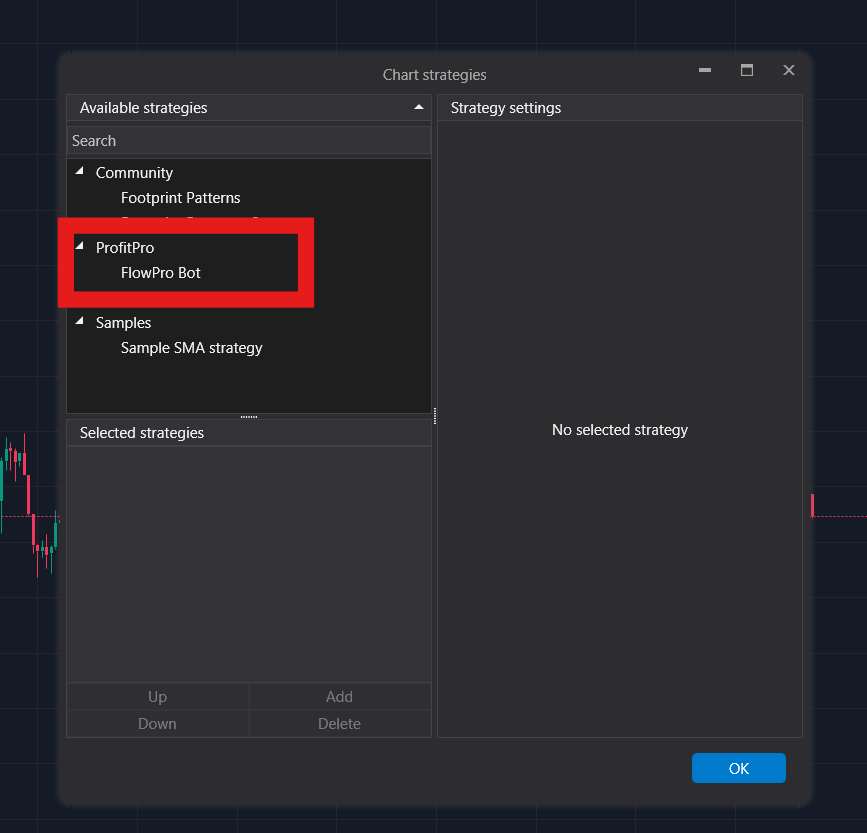
FlowPro Bot
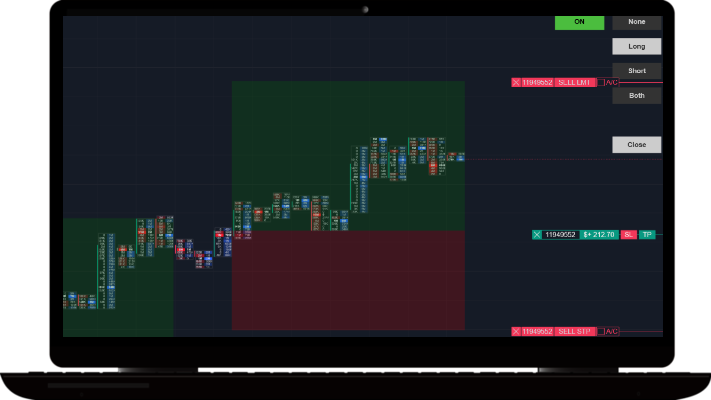
FlowPro Bot is an automated trading algorithm for ATAS that uses volume and order flow analysis to gauge market pressure and direction for smarter trades.
Order Flow Analysis
Pattern Recognition
Volume Detection
Market Pressure Dynamics
Crypto, Futures & Indexes
Order Flow Analysis
Pattern Recognition
Volume Detection
Market Pressure Dynamics
Crypto, Futures & Indexes

PROMO CODE: P6B17EPNB9
-
FlowPro leverages order flow data obtained from footprint charts to identify and execute trades based on significant surges in buying or selling pressure within the market.
-
Yes, the bot autonomously initiates and executes trades, provided it is activated, properly configured, and connected to a valid account with a sufficient balance.
-
Crypto Requirements:
A free ATAS account along with the desktop ATAS software
A connection to the cryptocurrency exchange of your choice
An active ProfitPro FlowPro subscription plan
Futures Requirements:
A paid ATAS account or a prop firm subscription that provides you with full access to futures and stocks data.
A connection to real-time futures data (e.g. Rithmic)
An active ProfitPro FlowPro subscription plan
-
Follow the installation guide here: https://www.profitprotrading.com/installationguide
-
For scaling the footprint charts, we recommend using "Auto" scaling.
We found lots of settings to be optimal when using the FlowPro Bot ranging from:
- Filter out low values: OFF
- Market Pressure: 300-900
- Volume Spread: 2-4
These settings can be refined to alter trade frequency. Decreasing these values will increase the number of trades while increasing these values will reduce the number of trades. Please contact support if you require assistance with settings.

Pulse Indicator
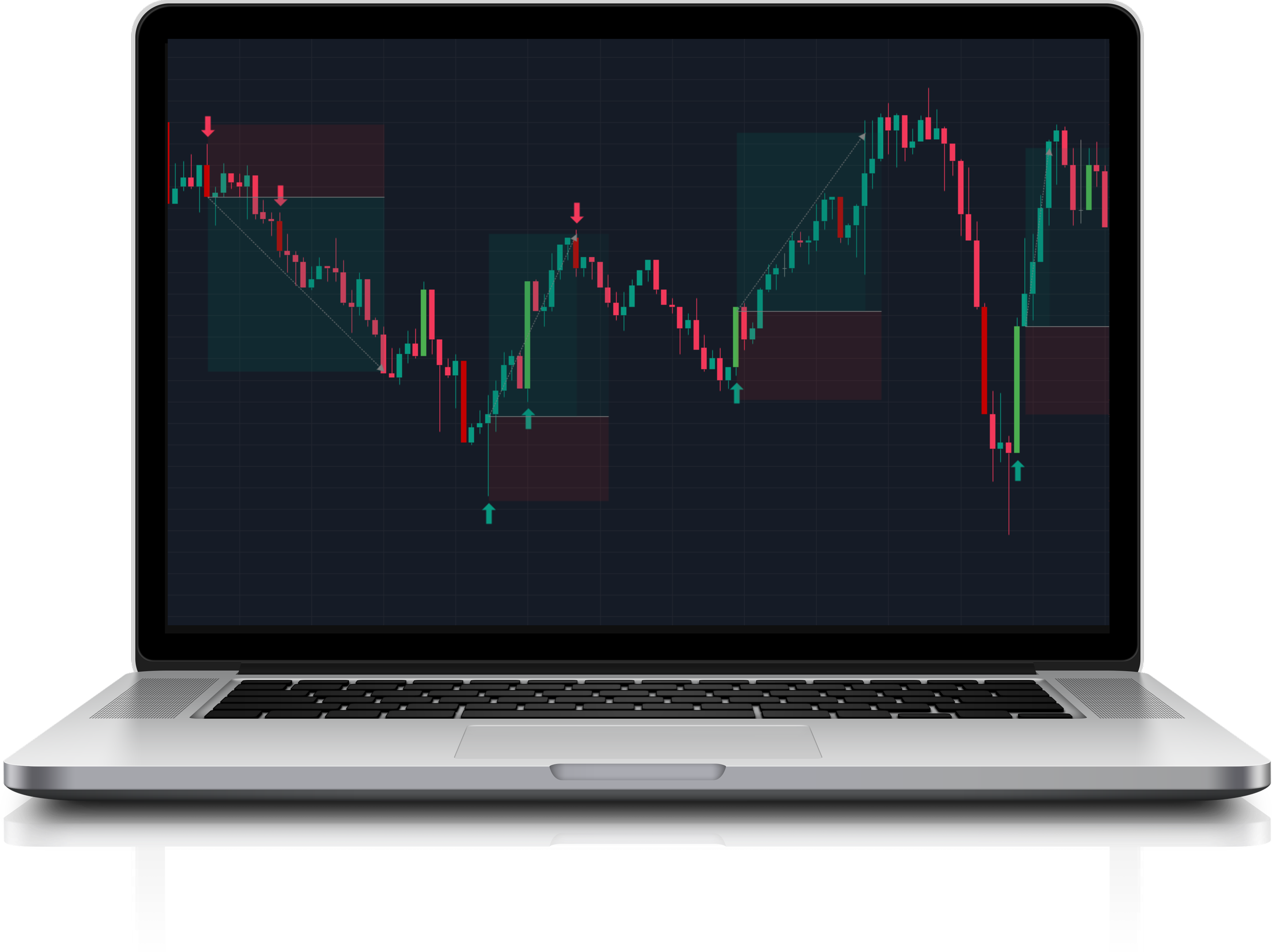
Buy/Sell Signals
Orderbook Analysis
Volume Engulfing Candles
Crypto, Futures & Indexes
Buy/Sell Signals
Orderbook Analysis
Volume Engulfing Candles
Crypto, Futures & Indexes
Pressure Toolkit
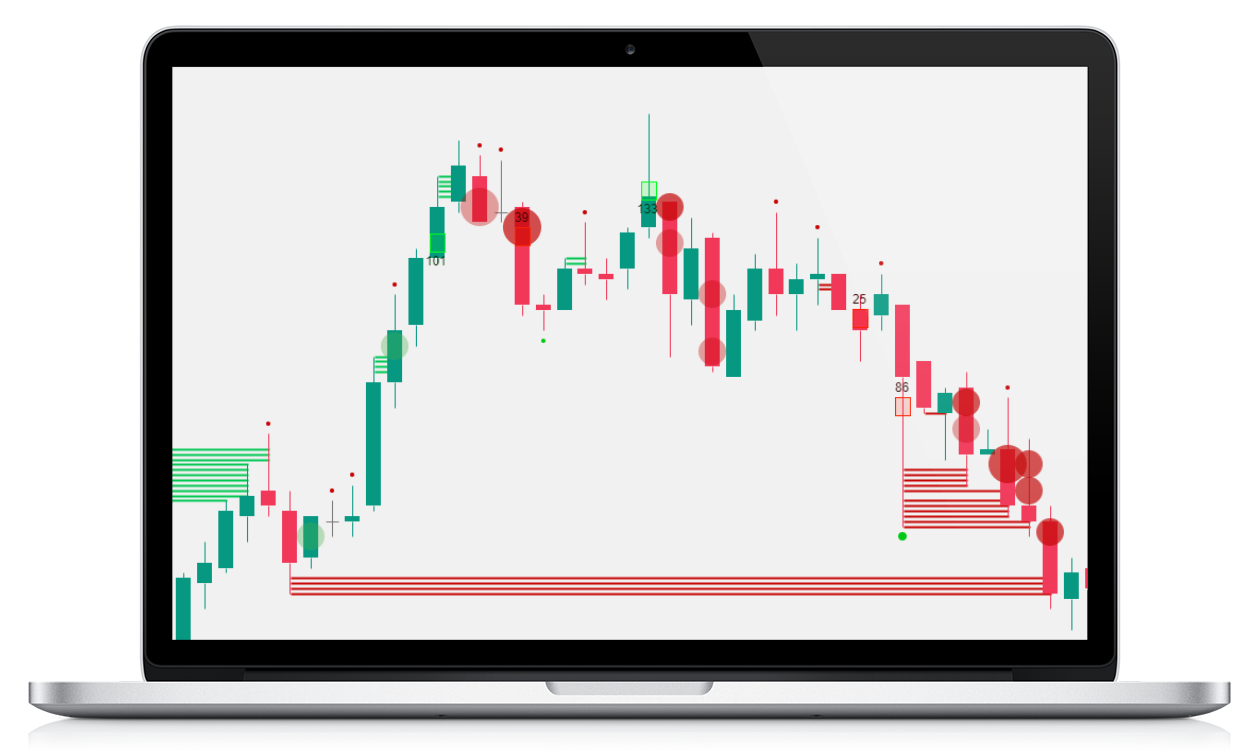
Aggressive Market Orders
Passive Limit Orders
Pressure & Absorption
Psychological Levels
Multi-signal Alerts
Aggressive Market Orders
Passive Limit Orders
Pressure & Absorption
Psychological Levels
Multi-signal Alerts
HVN Profile
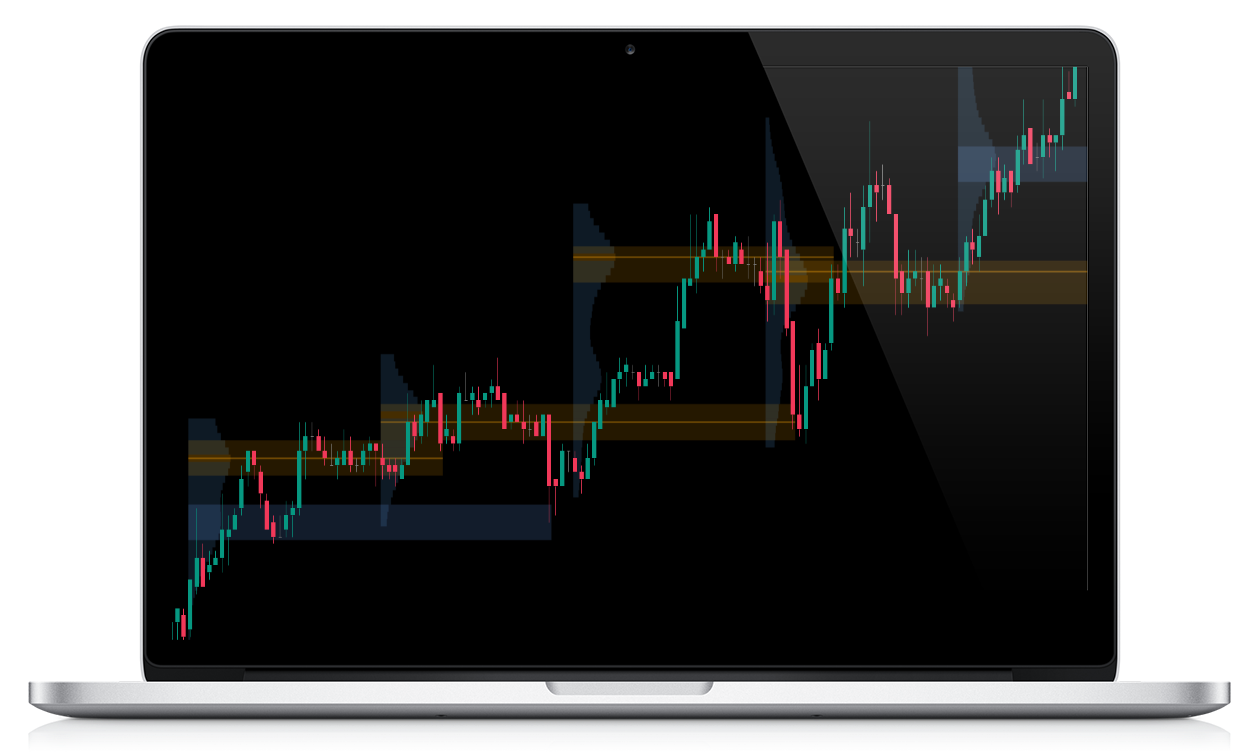
High Volume Node Detection
Multi-Period Volume Profiling
Smoothed Clustering
POC & Level Extension
HVN Touch Alerts
High Volume Node Detection
Multi-Period Volume Profiling
Smoothed Clustering
POC & Level Extension
HVN Touch Alerts
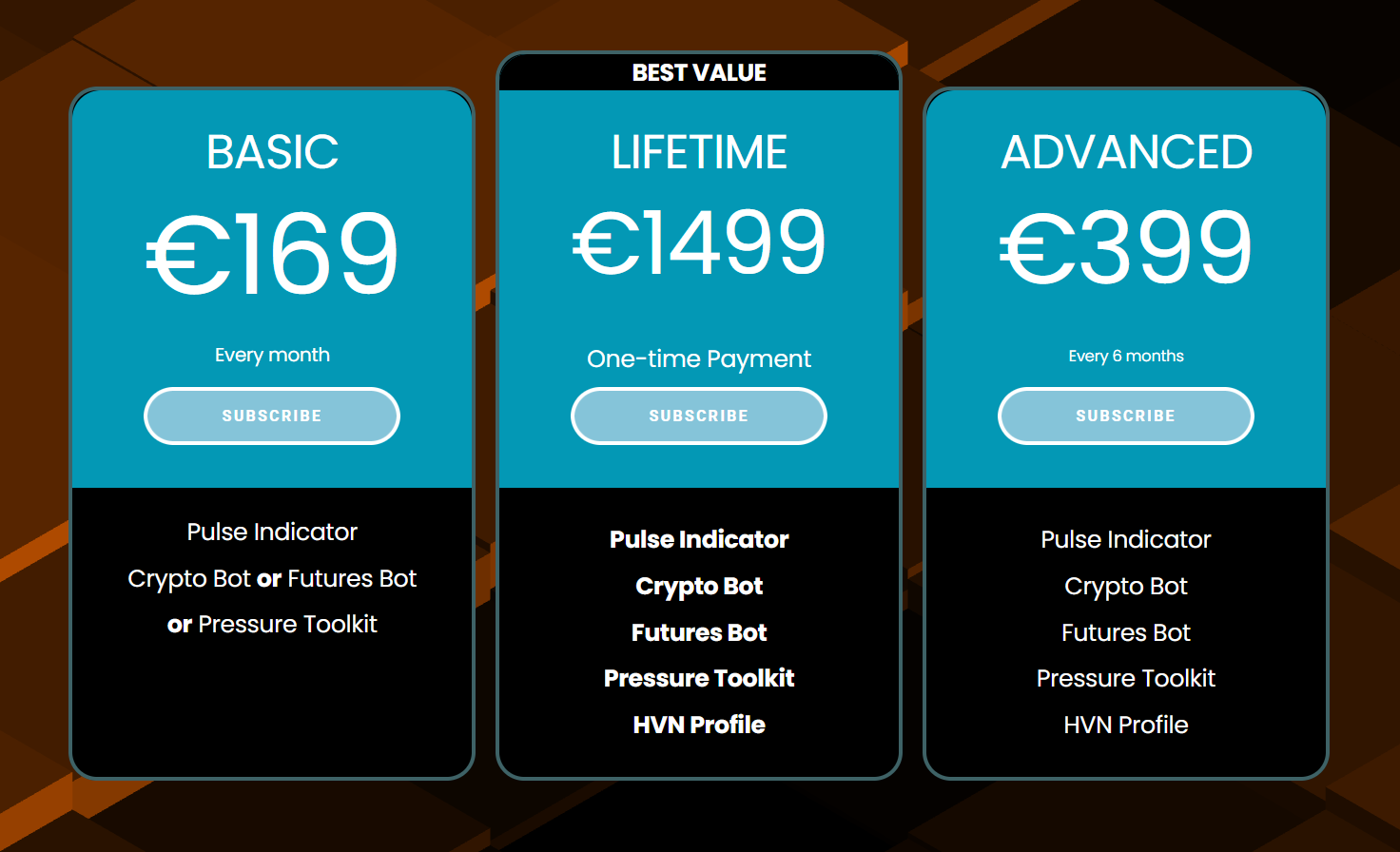
ATAS Plans
BASIC
€169
Every month
Pulse Indicator
Crypto Bot or
Futures Bot or
Pressure Toolkit
BEST VALUE
LIFETIME
€1499
One-time Payment
Pulse Indicator
Crypto Bot
Futures Bot
Pressure Toolkit
HVN Profile
Heavy Absorption
ADVANCED
€399
Every 6 months
Pulse Indicator
Crypto Bot
Futures Bot
Pressure Toolkit
HVN Profile
Heavy Absorption
Installation Guide
Step 1: Ensure latest version of ATAS is downloaded
PROMO CODE: P6B17EPNB9
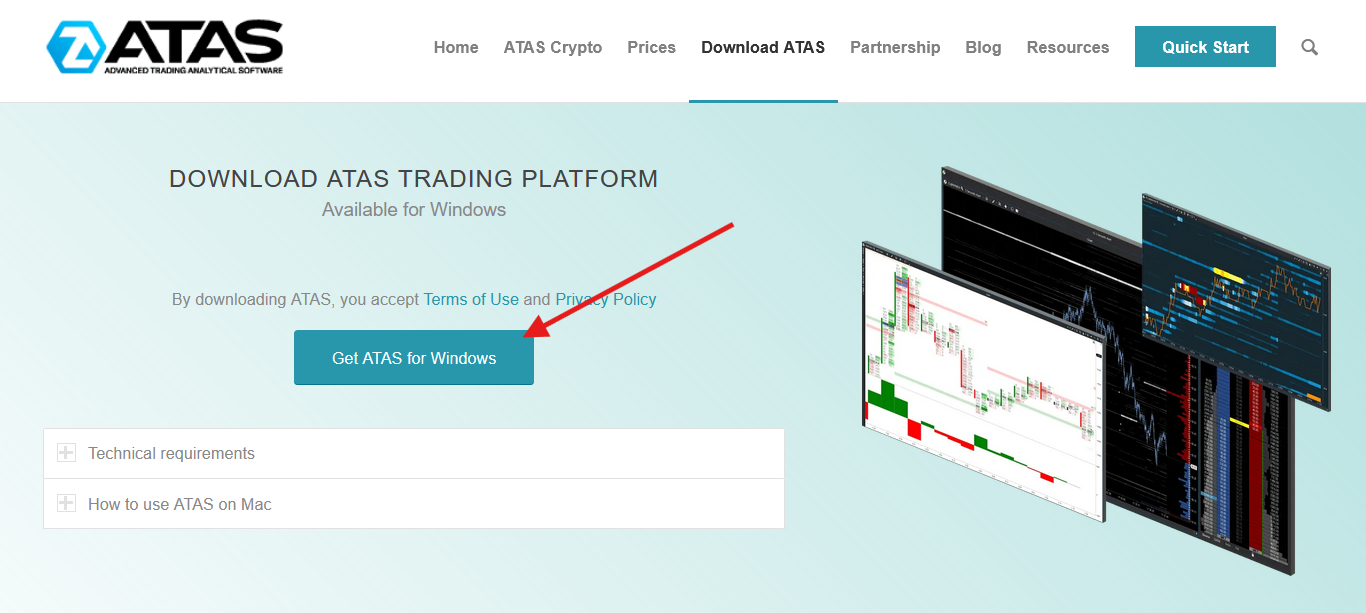
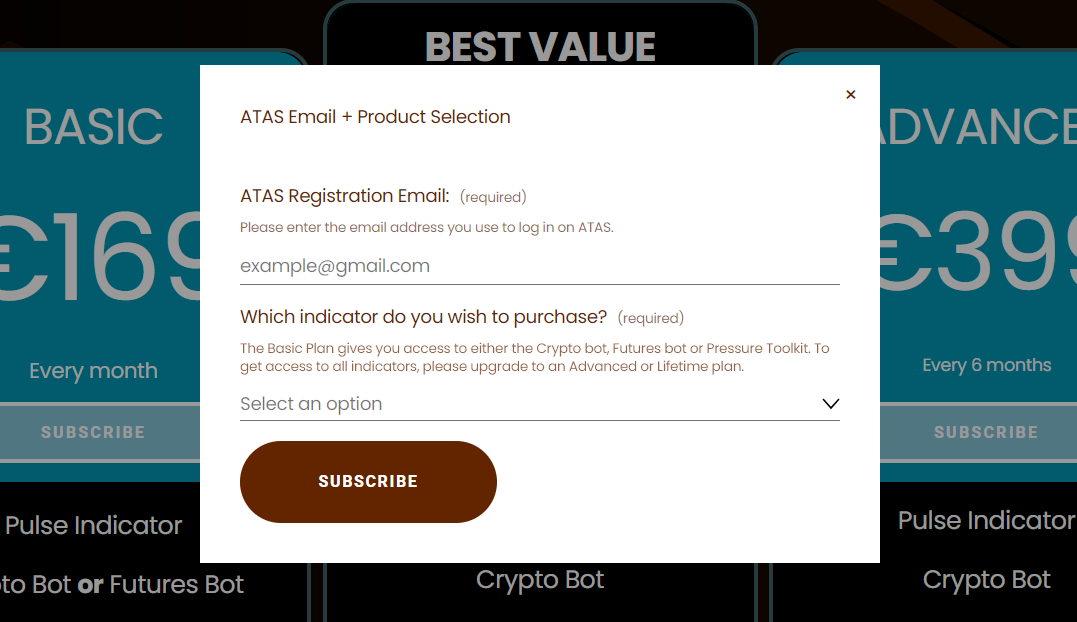
Step 2: Choose a plan & enter your ATAS email.
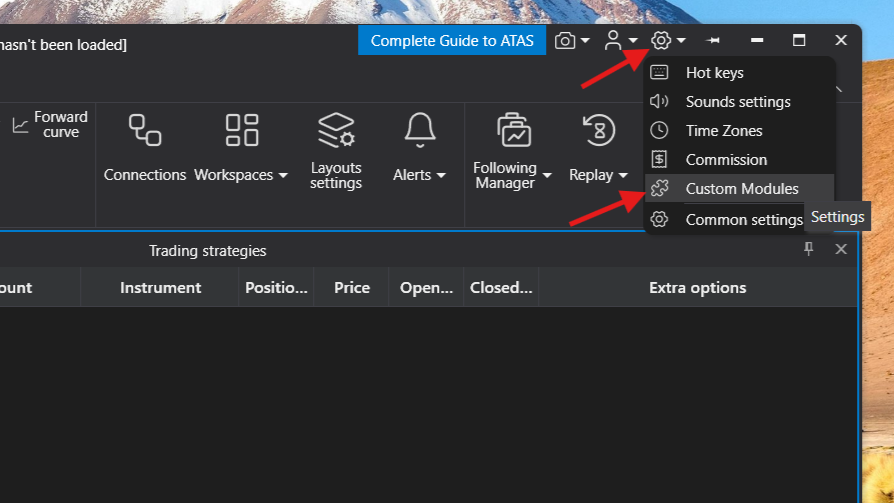
Step 3: Install Custom Modules from ATAS Settings in home screen.
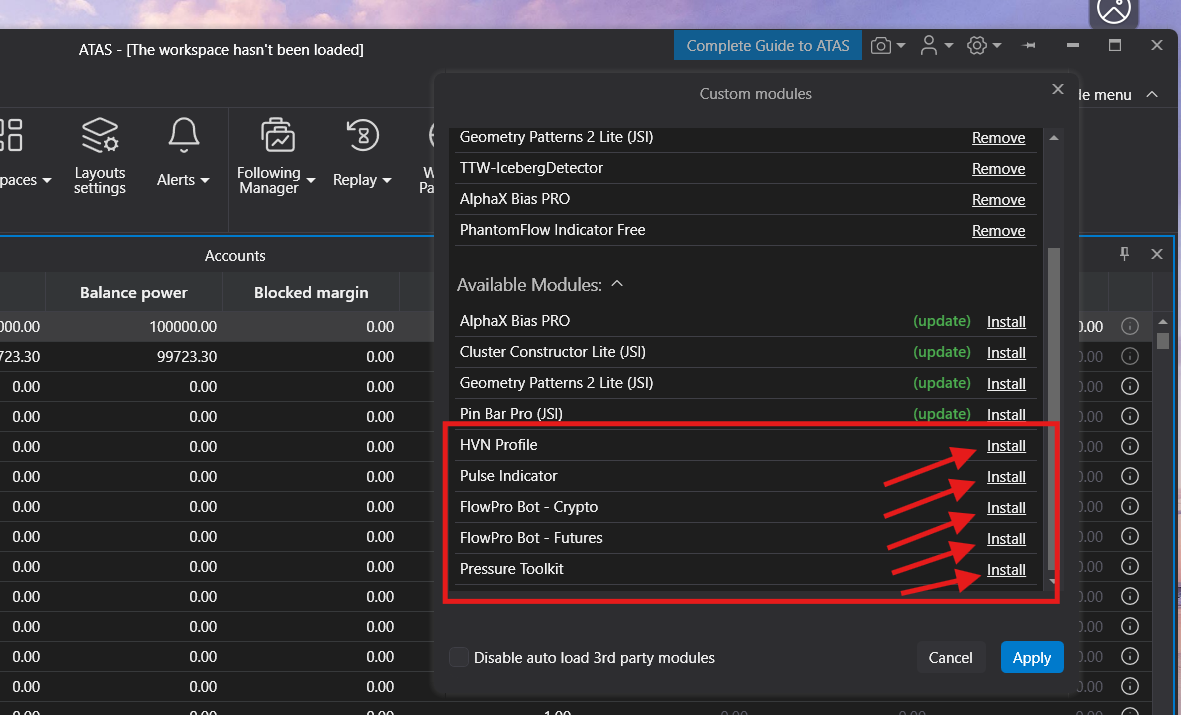
Step 4: Restart the ATAS platform and add indicator/strategy to chart