PRESSURE TOOLKIT
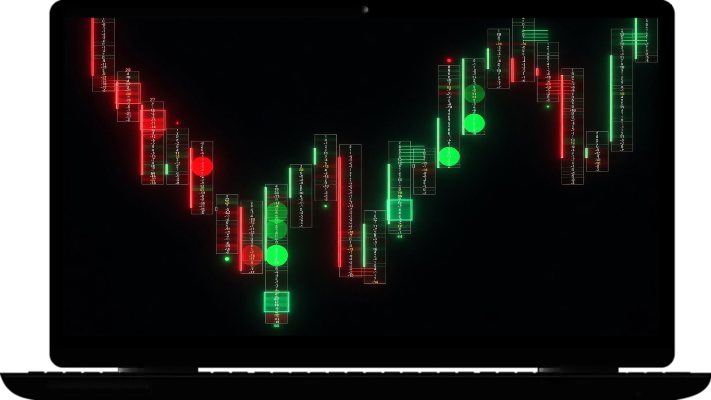
The Pressure Toolkit is a precision order‑flow indicator that highlights absorption, aggressive buying/selling, and real‑time buy/sell pressure directly at each price level.

HVN PROFILE
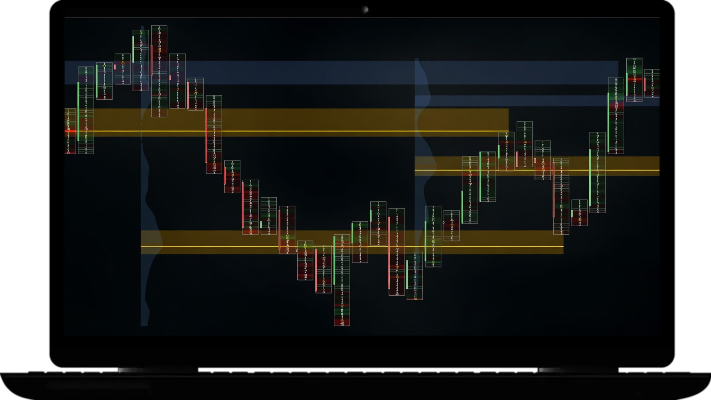
HVN Profile is a high‑volume node mapping tool that marks key volume clusters acting as support/resistance, complete with alerts when price reacts to those levels.
-
All indicators require NinjaTrader 8 with the Order Flow+ add-on, which unlocks Volumetric chart types.
-
You must load the indicator on a Volumetric chart. In NT8, right-click your chart → Data Series → set Type to Volumetric.
If you get an error saying "requires a Volumetric chart type" This means your chart is not set to Volumetric. Right-click the chart → Data Series → change Type to Volumetric and click OK.
-
Please follow our installation guide below.
In NinjaTrader 8, go to Tools → Import → NinjaScript Add-On → select the provided .zip file from our email. The indicator will be available immediately.
-
Yes — a valid license is required. Users need to have a PRO, ULTRA or Lifetime subscription to receive access.
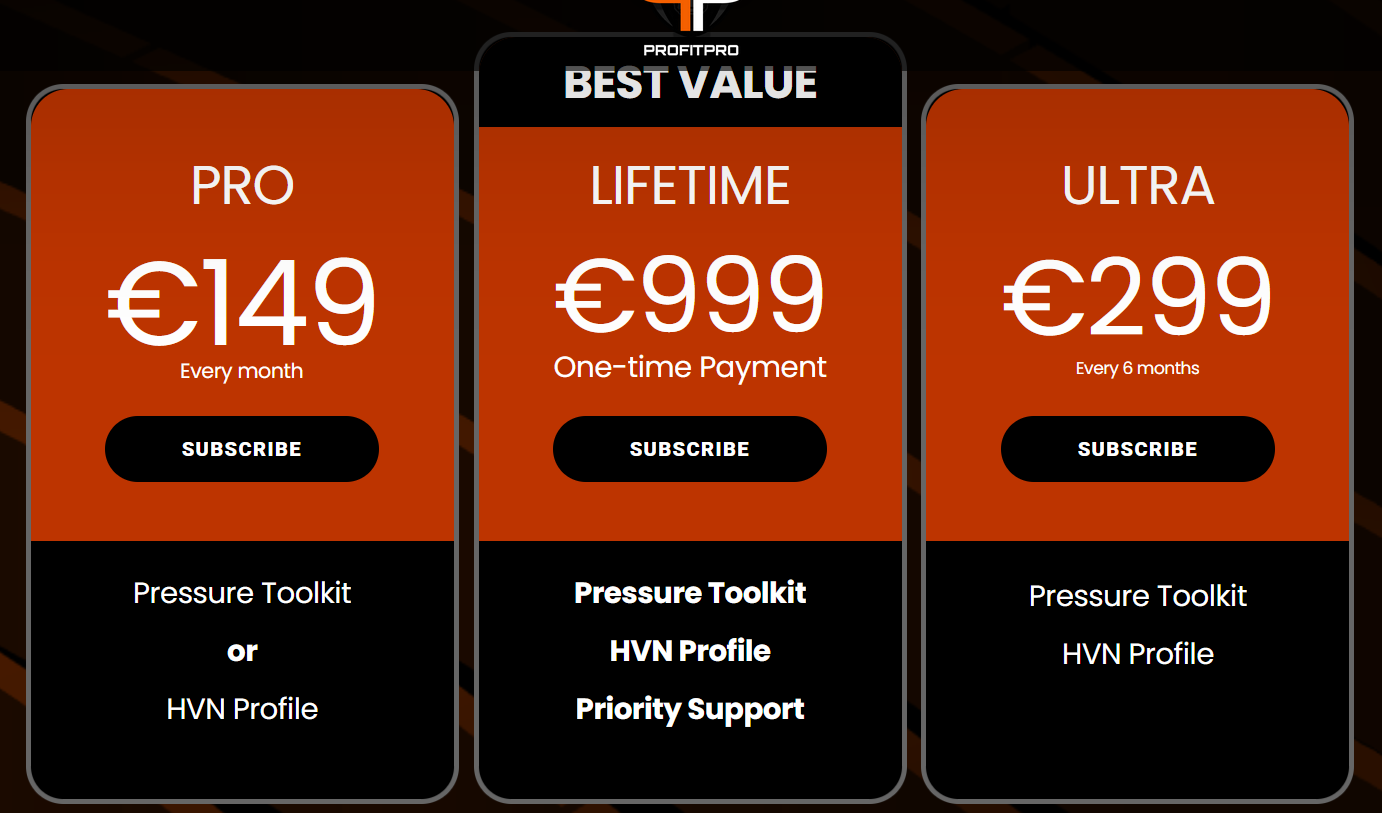
NinjaTrader Plans
PRO
€149
Every month
Pressure Toolkit
or
HVN Profile
Imbalance Levels
BEST VALUE
LIFETIME
€999
One-time Payment
Pressure Toolkit
HVN Profile
Imbalance Levels
Heavy Absorption
Priority Support
ULTRA
€299
Every 6 months
Pressure Toolkit
HVN Profile
Imbalance Levels
Heavy Absorption
Installation Guide
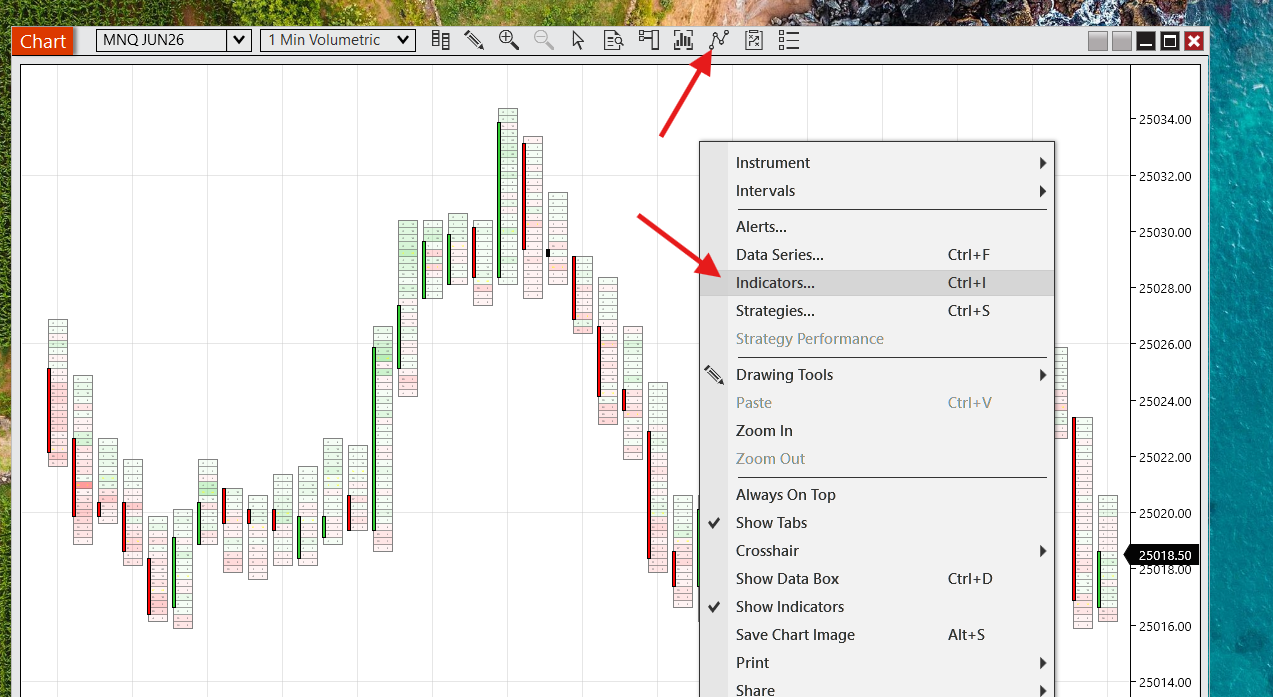
Step 1: Ensure latest version of Ninjatrader 8 is installed
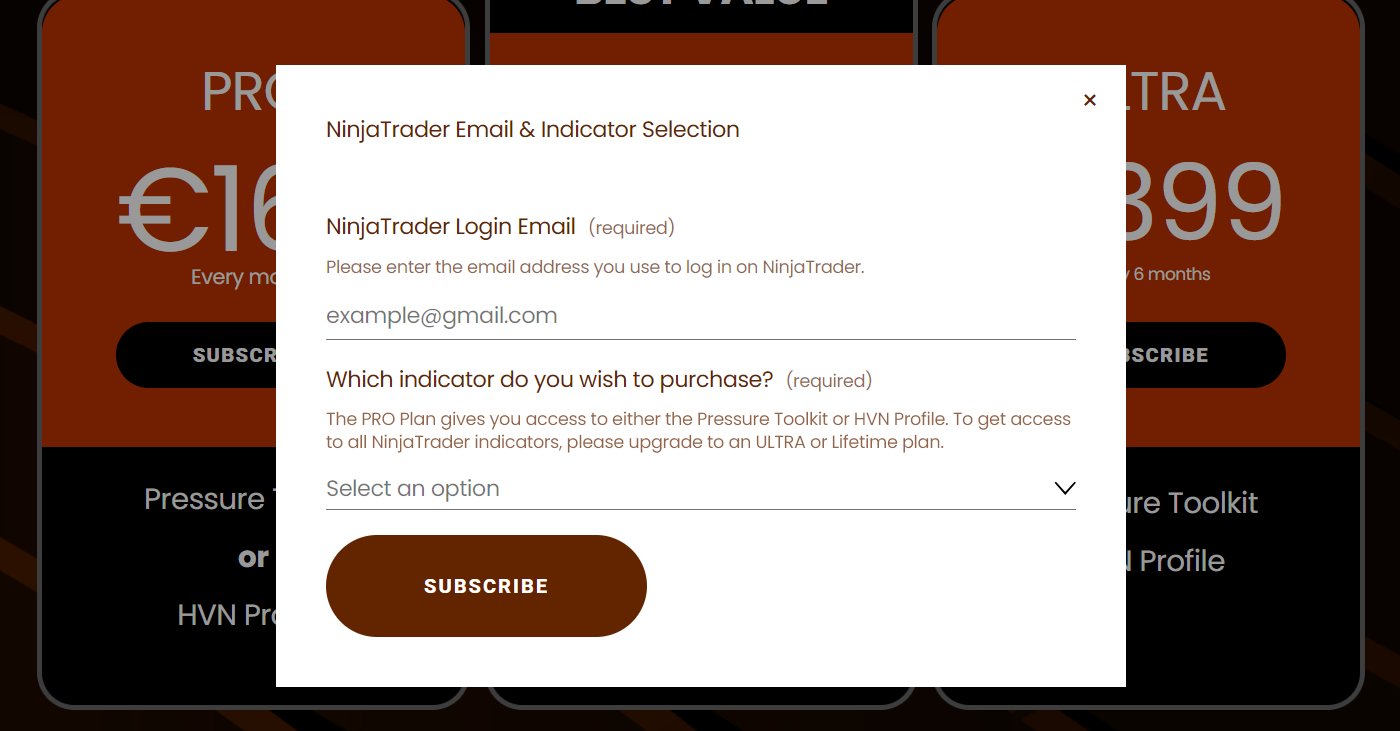
Step 2: Choose a plan & enter your NinjaTrader email.
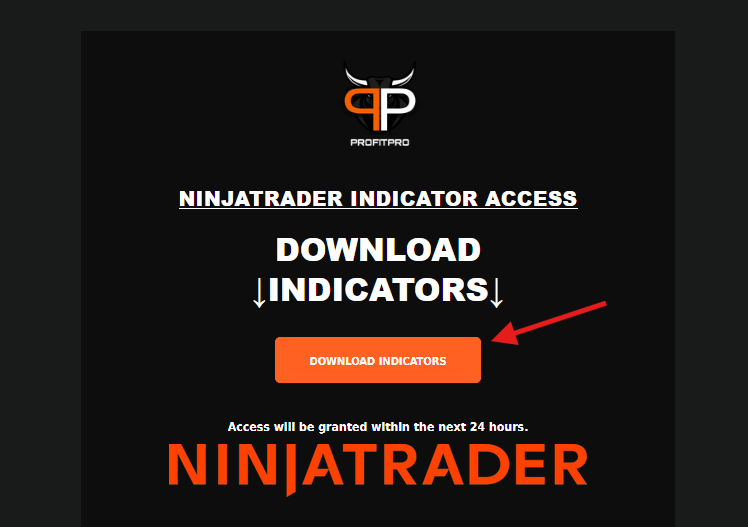
Step 3: Download .ZIP files from confirmation email.
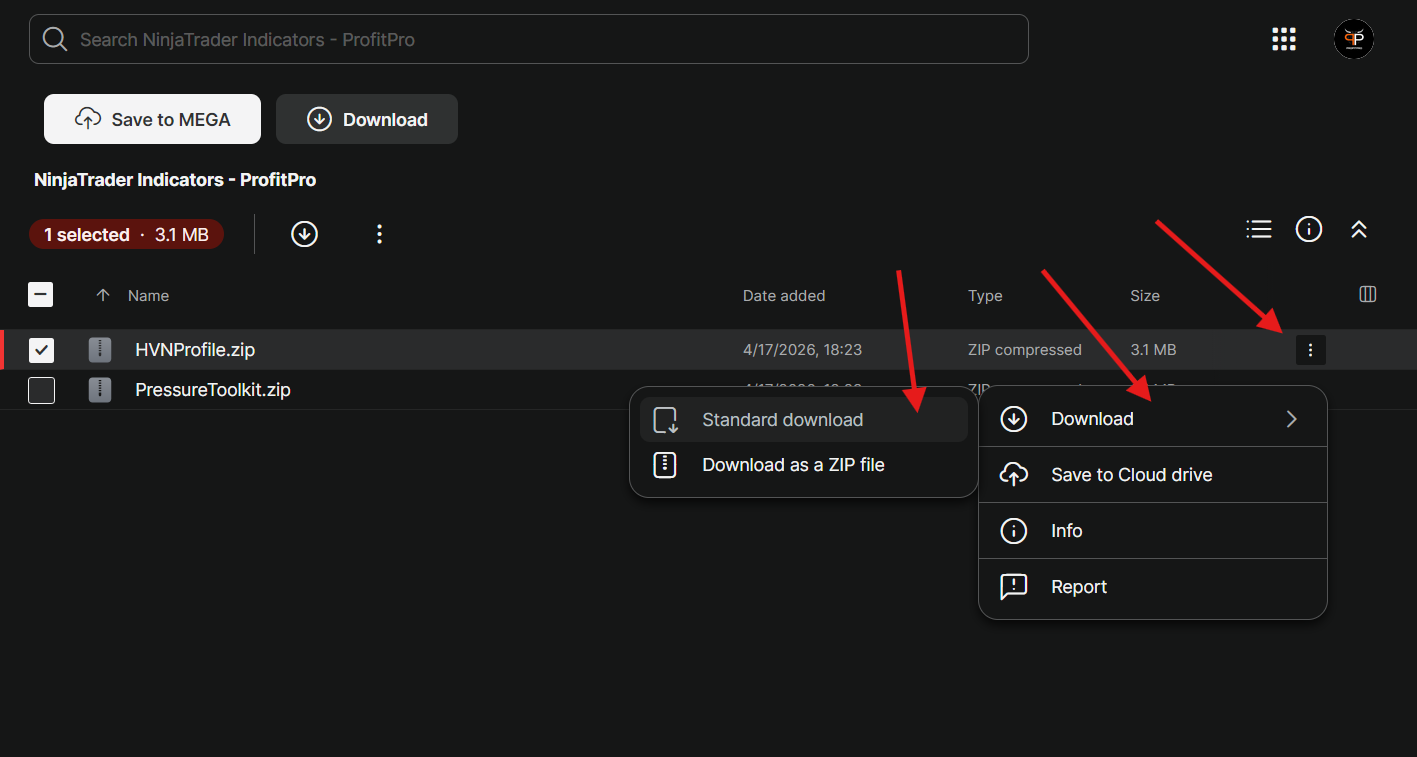
Step 4: Import .ZIP files on Ninjatrader
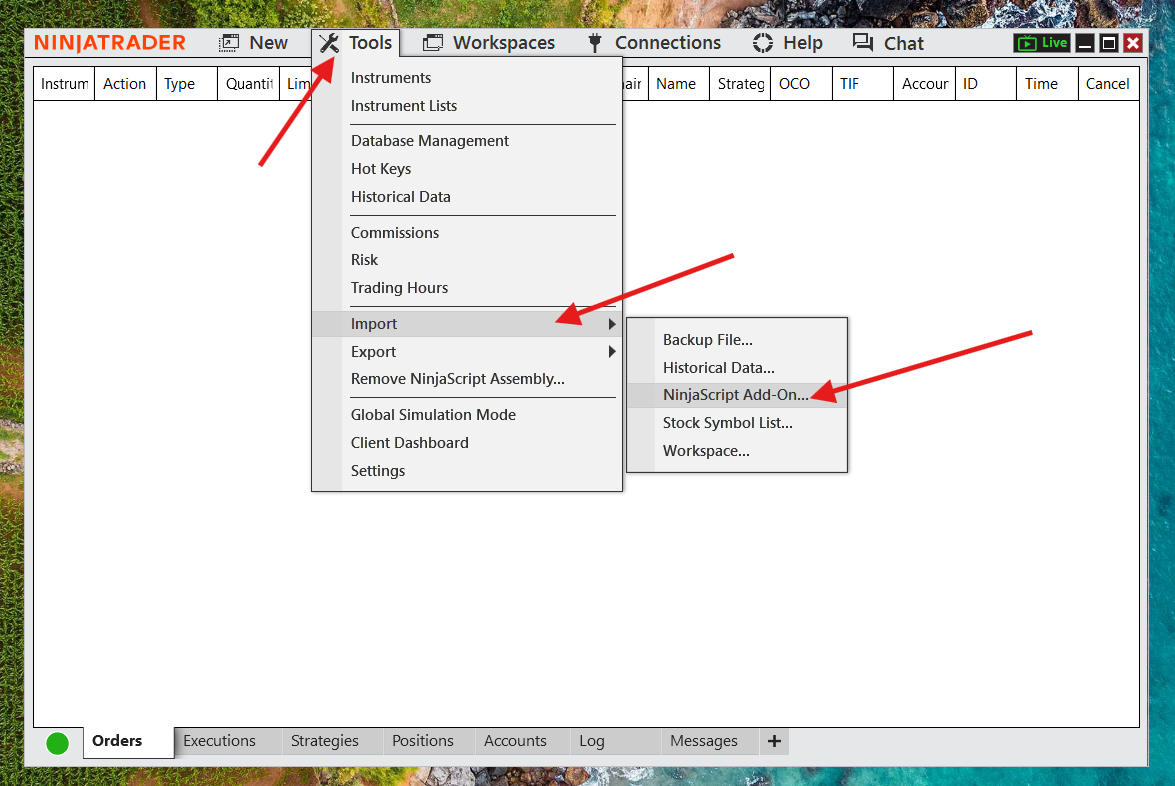
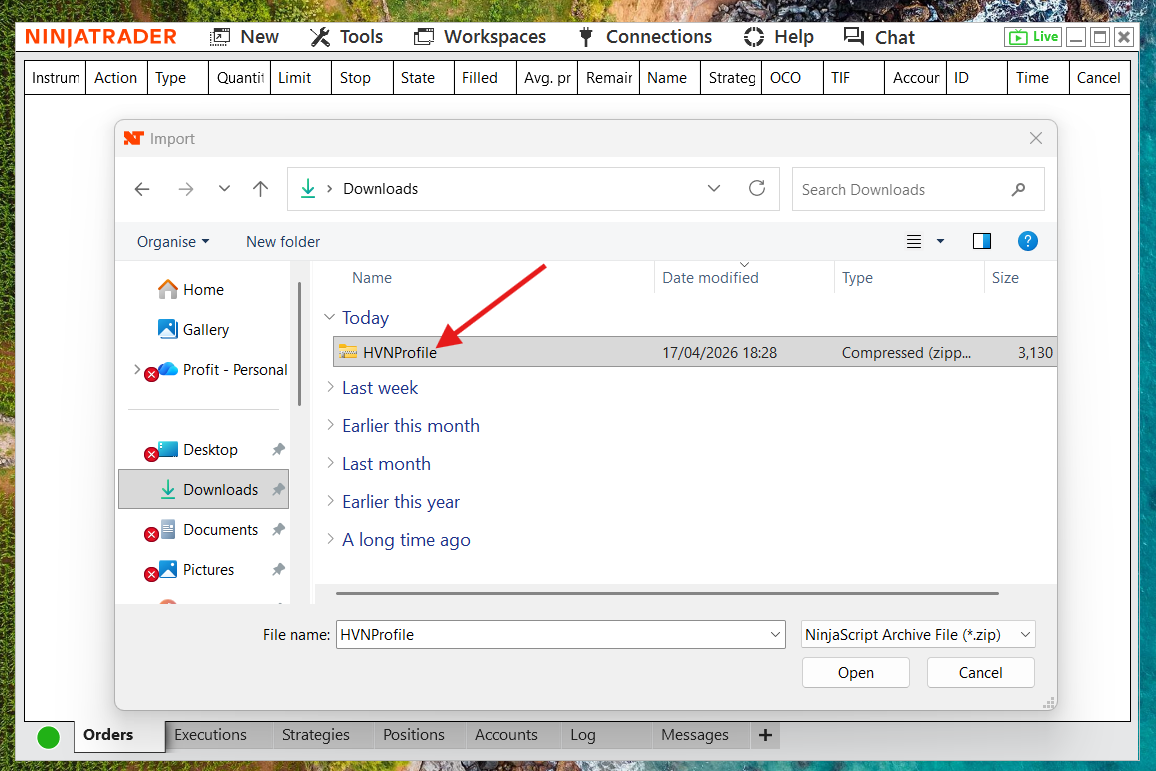
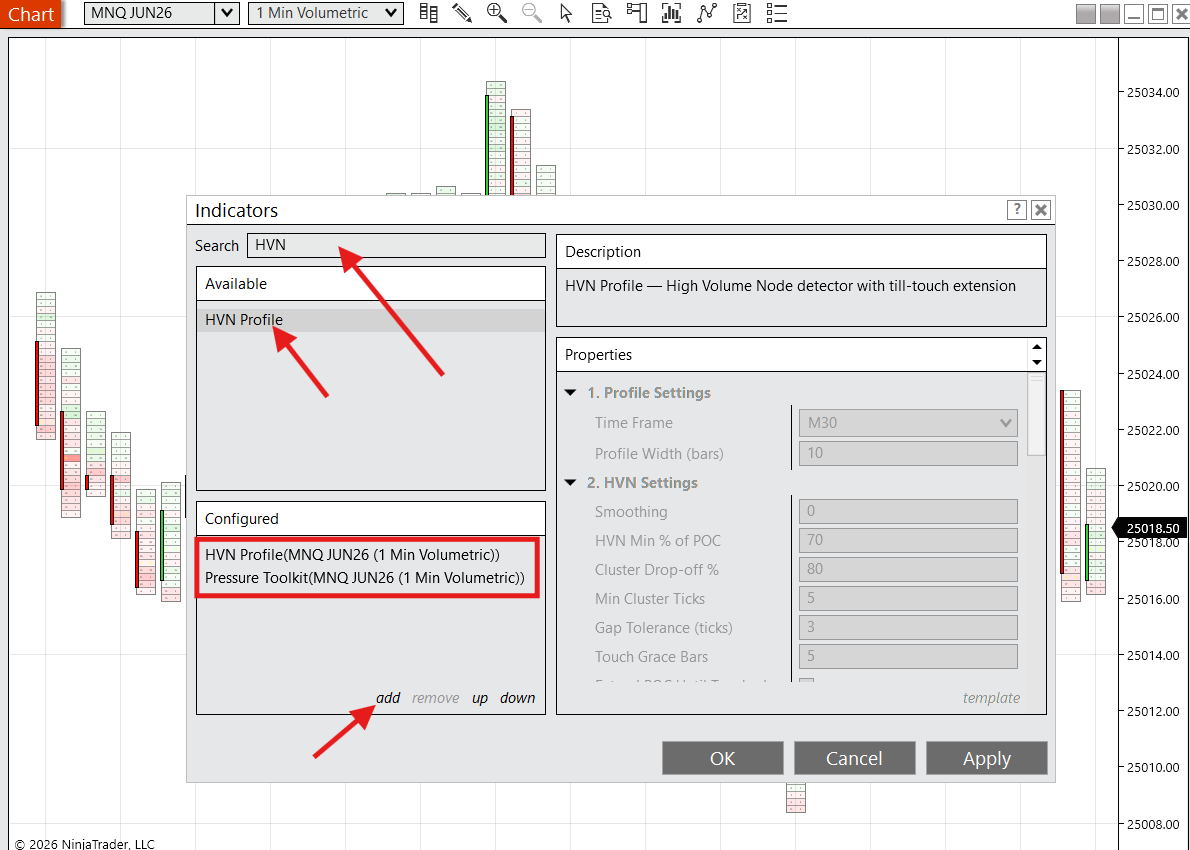
Step 5: Add indicators to chart